
Someone recently asked me if there was a good software solution for designing their native plant garden. I was happy to be able to tell them that there is. And it’s called the Native Garden Planner.
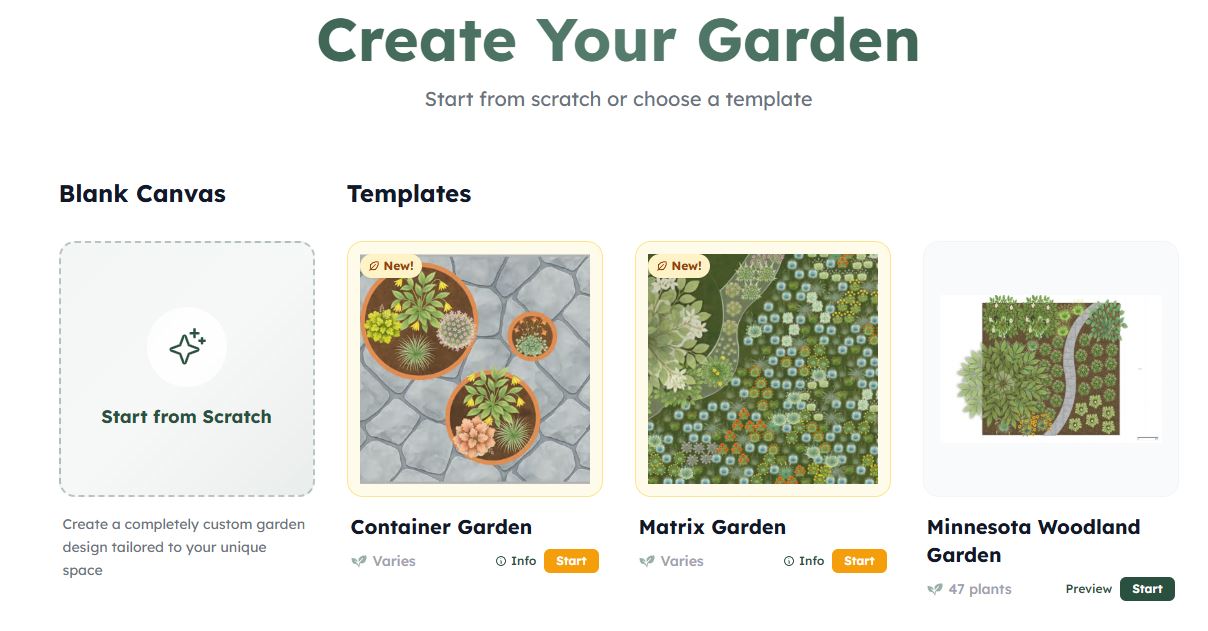
I discovered this online software about a year ago, when I was approached by our local conservation authority to design over 2 dozen native plant gardens for lucky homeowners in the county. It was a joint project between the municipality of Chatham-Kent and the Lower Thames Valley Conservation Authority.
Prior to discovering the Native Garden Planner, I would laboriously draw (and often redraw, then redraw again) my design ideas on graph paper – and I am no artist, so it was a slow and painful process. I was actually questioning why I ever agreed to the project, though I was pretty sure I could do the work. It was just going to take me all winter.
Then I discovered the software (quite by accident). A group I occasionally follow on Facebook was hosting a webinar showcasing the software, and I thought that it might be just what I was looking for. And was it ever.
The software is an online tool called Native Garden Planner (nativegardenplanner.com) and it was developed by Hannah Mahon, a software engineer in the Washington DC area. She works for a tech company that provides software services to government parks and recreation departments.

Background Info
The software came about because she got hooked on native plants and wanted a tool to design her own garden. She told me she found herself completely overwhelmed by the fragmented planning process—managing scattered spreadsheets, trying to sketch layouts on graph paper, and using Microsoft Paint just to visualize how plants would look next to each other. Realizing that she probably wasn’t the only one with this problem, she built and launched Native Garden Planner in January 2025.
Success Stories and Traction
The response from the native plant community has been, not surprisingly, pretty incredible. Since launching, the platform has already grown to over 6,000 users who have designed more than 10,000 native gardens across the Canada and the US. One client planned to use it to help with their land restoration project of over 20 acres! She’s also had several small native focused designers tell her this tool has allowed them to take on more clients, because it’s so much faster to design with than traditional pen and paper (and her software is cheaper than the prime time enterprise landscape design software).
Pricing & Features
Native Garden Planner operates on a freemium model: users can design up to three gardens for free, while the paid tier ($12US/month or $96US/year) includes unlimited projects, advanced PDF exports, and additional customization. The core tool combines a drag-and-drop garden builder with an extensive, filterable native plant catalog.
For professional garden designers, she also offers Designer Pro Projects ($20US/month) for professional client workflows, Workspaces with seat-based pricing for teams, and Custom Planner (also $20US/month) for native nurseries that want to offer customers a planner featuring only the native plants they carry.
My Experience Using Native Garden Planner
As with any new software, it took me a bit of time to understand how the tool worked. My background is in GIS (Geographic Information Systems), so I had to re-think how I created drawings, as this was more akin to drawing with Paint or even AutoCad than with what I was used to. For someone not bringing in a background of GIS software, there’d be nothing to re-learn. And once I accepted that this was NOT GIS software, I realized it was actually pretty intuitive.
What I Liked
The best part of the software is the visualization of what you are drawing and the extensive (and continuously growing) database of native plants. There are even some non-native plants in the dataset to let you incorporate existing plants into your garden design.
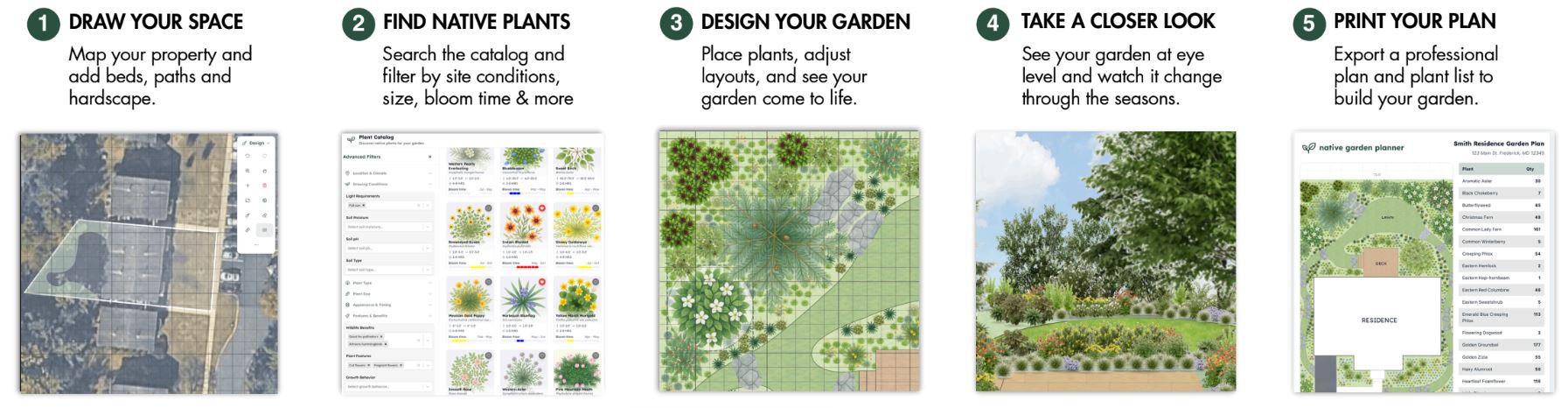
You can bring a Google Earth image into your design as well, and trace over and around existing structures. You can display your gardens in 2D, with the various plants drawn to scale, and now even in 3D.
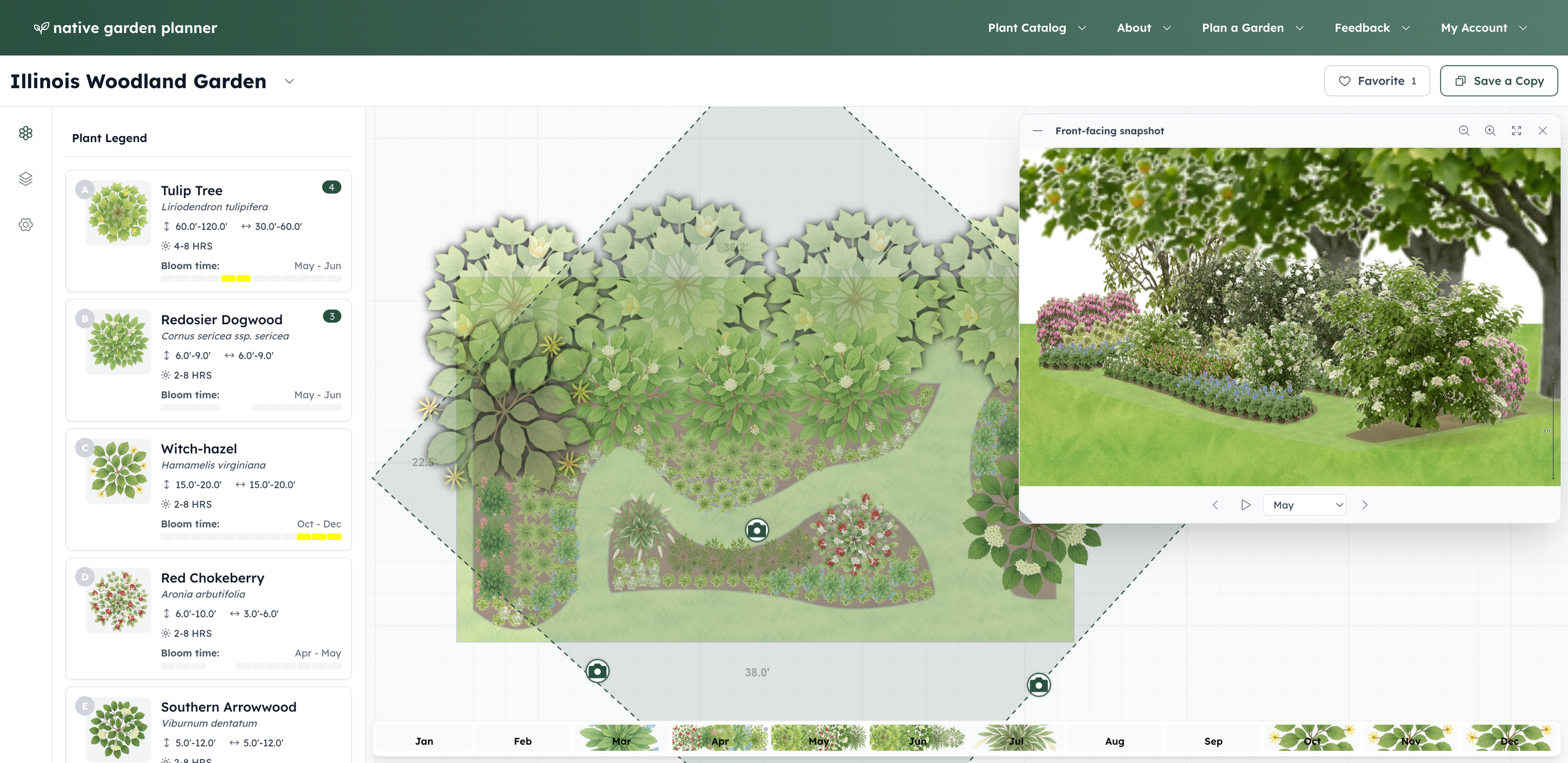
Another feature that was really awesome is the panel across the bottom of the page that shows which plants are in bloom in any given month. When you click on the month, the plants in flower are highlighted in the main drawing. This lets you easily visualize where any empty spots might be so you can shift some plants around or add some new ones that will be in bloom that time of year.
Tutorial
I have asked Hannah to put together a couple of tutorials for the software that I will share on this web page in the coming weeks – these will be in addition to the tutorials already on the website. In the meantime, why not sign up at nativegardenplanner.com and experiment with the software. It’s definitely a lot of fun. She has also offered a coupon code that will give you a month of the “pro” version so you can try out the advanced features free of charge – use the code SOLIDAGO2026.
Happy native plant garden designing.